Changelog
New features and improvements in Code4, week by week. Each update links to the page that describes the feature in full.
Last update: Nov 28, 2026Nov 23 to 29
Work in an agent chat together
Add teammates to an agent chat and see at a glance who is in it: their faces sit in the chat header and next to the chat in the agent menu. Everyone in the chat follows the session, can message the agent, answer its questions and stop it.
Sessions you can follow and steer →Mirroring settings for imported repositories
A repository that mirrors another host now has a Mirroring tab in its settings: change the address, the credentials and what is kept in sync, or stop mirroring.
Import and mirror from another host →Code4 for iPhone
The iOS app is in the App Store, next to Android in Google Play: issues, boards, documents, chats and calls on your phone.
iOS and Android →Suggested replies in agent chats
When the agent waits for you, the message field can offer a suggested next message. Press Tab to take it and edit it before you send.
Sessions you can follow and steer →Word files open as pages
A .docx uploaded to a project opens right in the document tree as pages, with a Download button next to it.
Files in the same tree →Import from Linear and GitLab
Bring issues from Linear teams and from GitLab, on GitLab.com or your own server, with comments, statuses and history. GitLab projects bring their Git repositories too.
Write to the agent while it works
A message you send to the agent on your computer during its turn waits as Queued and goes out when the turn ends. Click Send now to send it right away.
Sessions you can follow and steer →Improvements and fixes
- Slash commands in agent chats show their full description next to the list.
- The new merge request dialog opens with the default branch already picked.
- The desktop app keeps your computer paired across restarts.
Nov 16 to 22
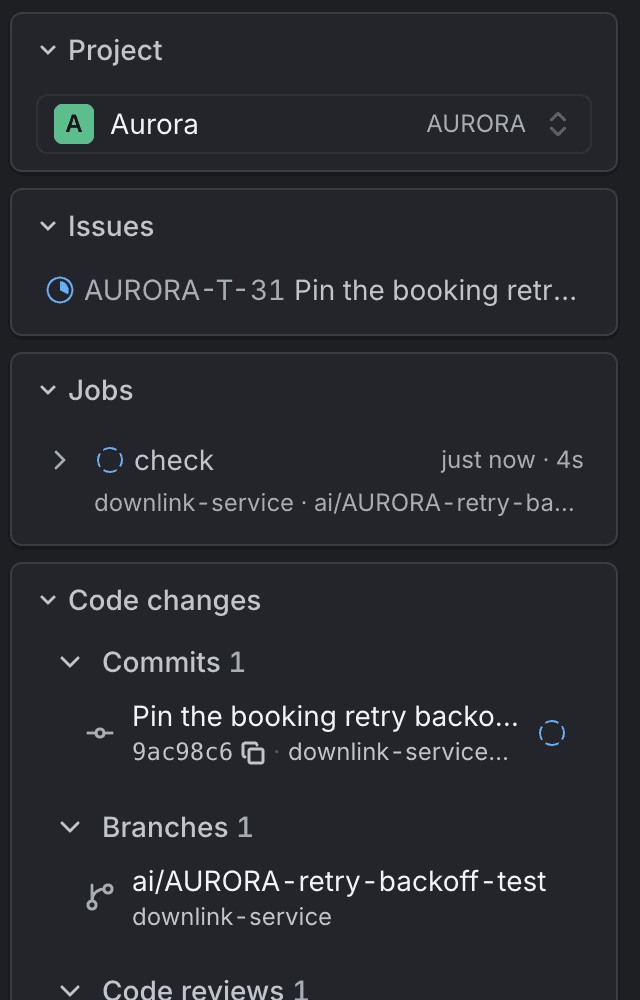
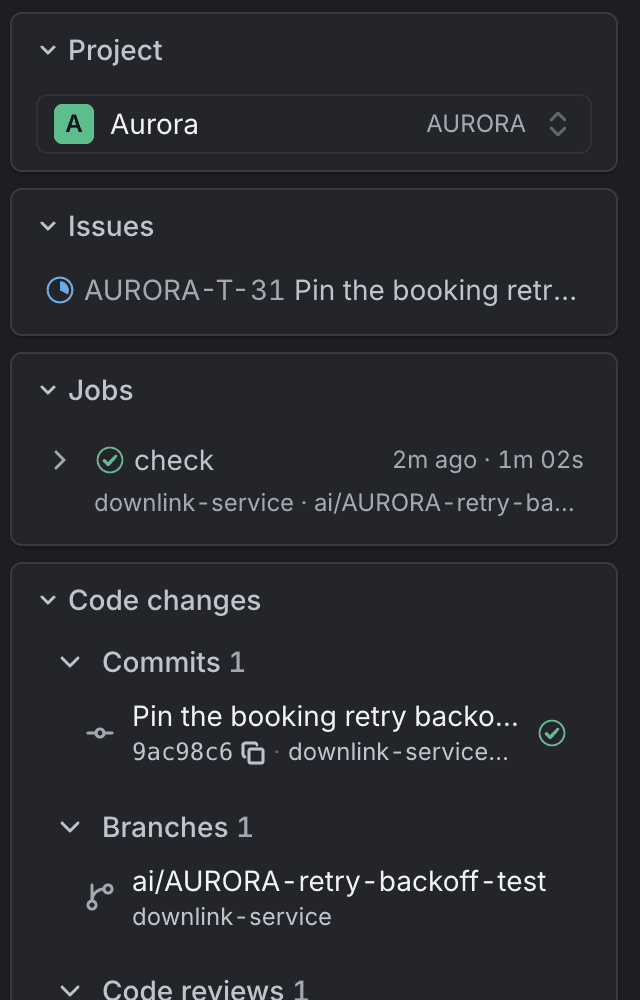
Run details next to the chat
A column beside the agent chat collects what the session made: the issues and jobs it touched, its commits, branches and merge requests, with their status kept up to date.
Everything the agent made, in one place →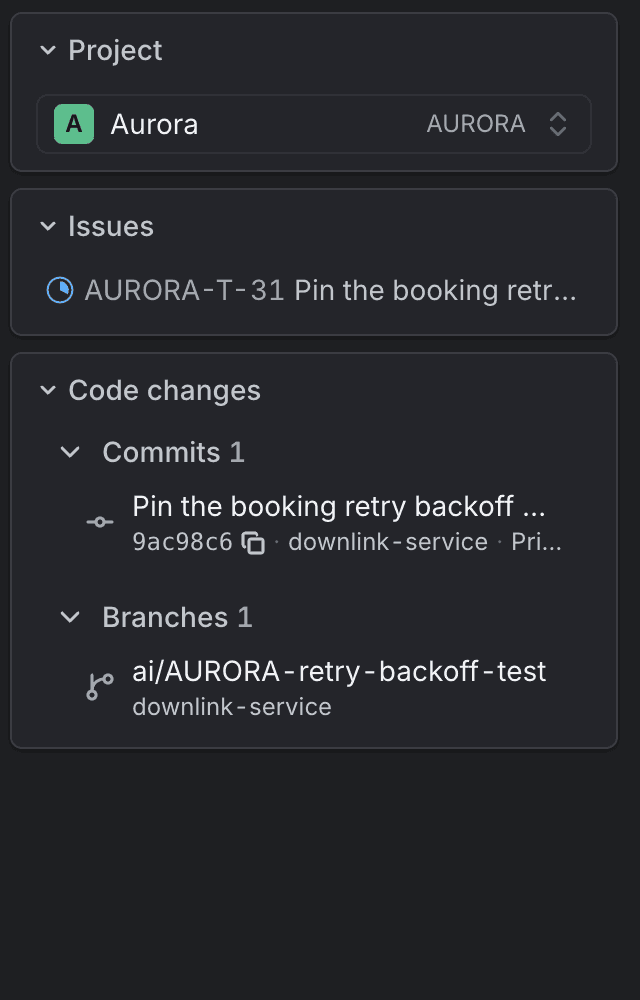
Coding agents in chat
Run Claude Code on your computer from a chat in the app, with nothing to install by hand. Follow its steps, edits and commands, answer its questions and permission requests, and attach files or images.
Claude Code on your computer, from anywhere →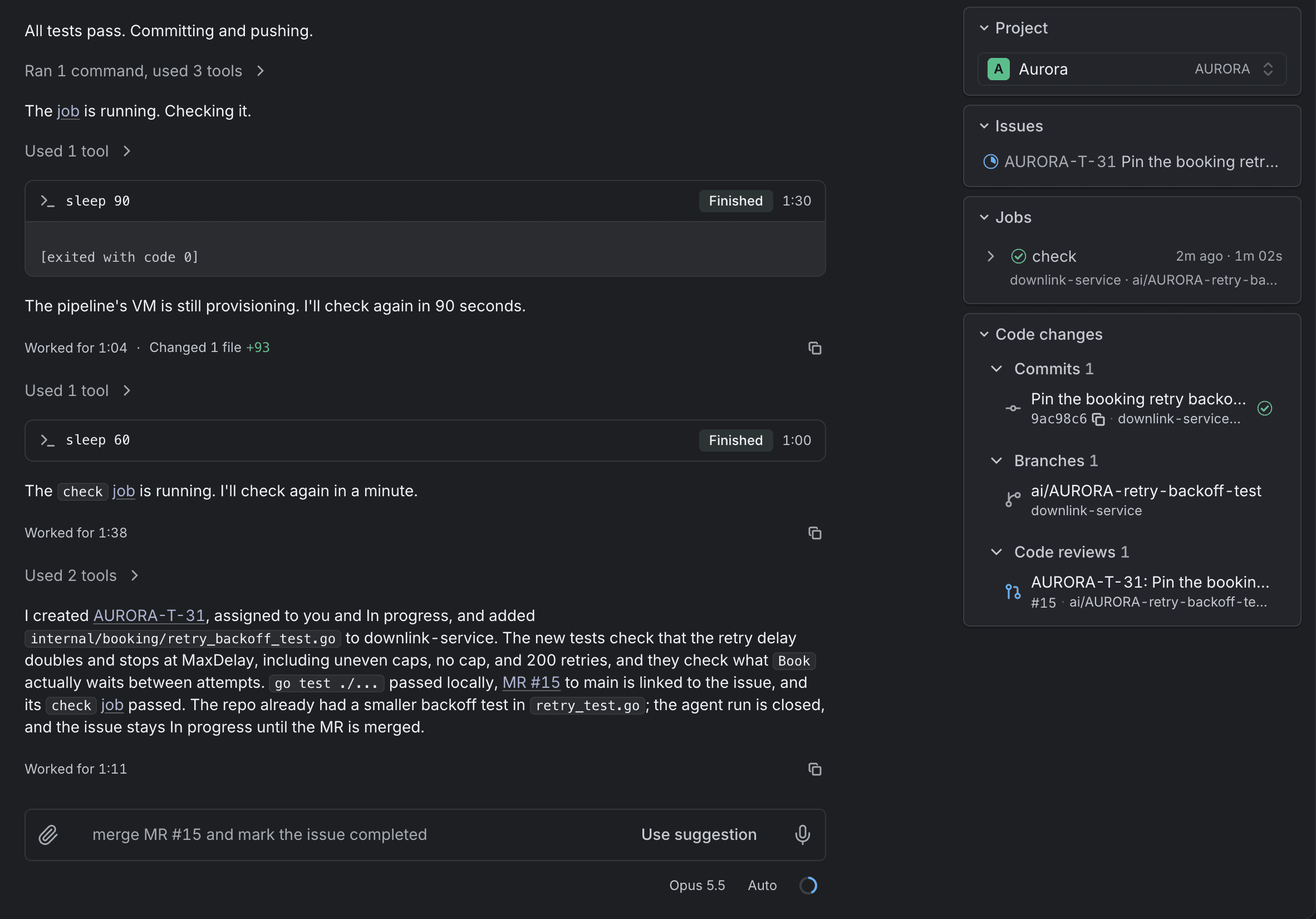
Import issues from GitHub, Jira Cloud or a CSV file
Move issues into Code4 with comments, attachments, sprints and links. A GitHub import brings the Git repository too, and any import can be run again or undone.
Export issues to CSV, Excel or JSON
Export every issue of a project or only what the list shows with its filters, and choose the columns.
A list you can shape →Subagents and workflows in the chat
When the agent hands work to subagents or runs a workflow, the chat shows each of them with its steps and result, and counts the ones still working.
Sessions you can follow and steer →Talk to the assistant and agents by voice
Record a voice message of up to five minutes. It is transcribed and goes to the assistant or the agent as text.
Sessions you can follow and steer →Links in chat open as cards
Links to documents, commits, boards, jobs and deployments show as cards with their title and status, like issue and merge request links already did.
Messages that do more →Improvements and fixes
- A merge request lists the co-authors from its commits under the author.
- File history can be narrowed to one path, and README files render collapsible sections.
- Hide the document tree with a button or Cmd+\ to give a document more room.
- A failed step shows its failure reason and AI explanation right in the log.
- Screens open faster: data loads as you point at a link.
- Images in issue descriptions open in a viewer.
Nov 9 to 15
One agent window for the cloud and your computer
Start an agent from an issue and choose where it runs, in the cloud or on your computer, in the same window.
Start from an issue →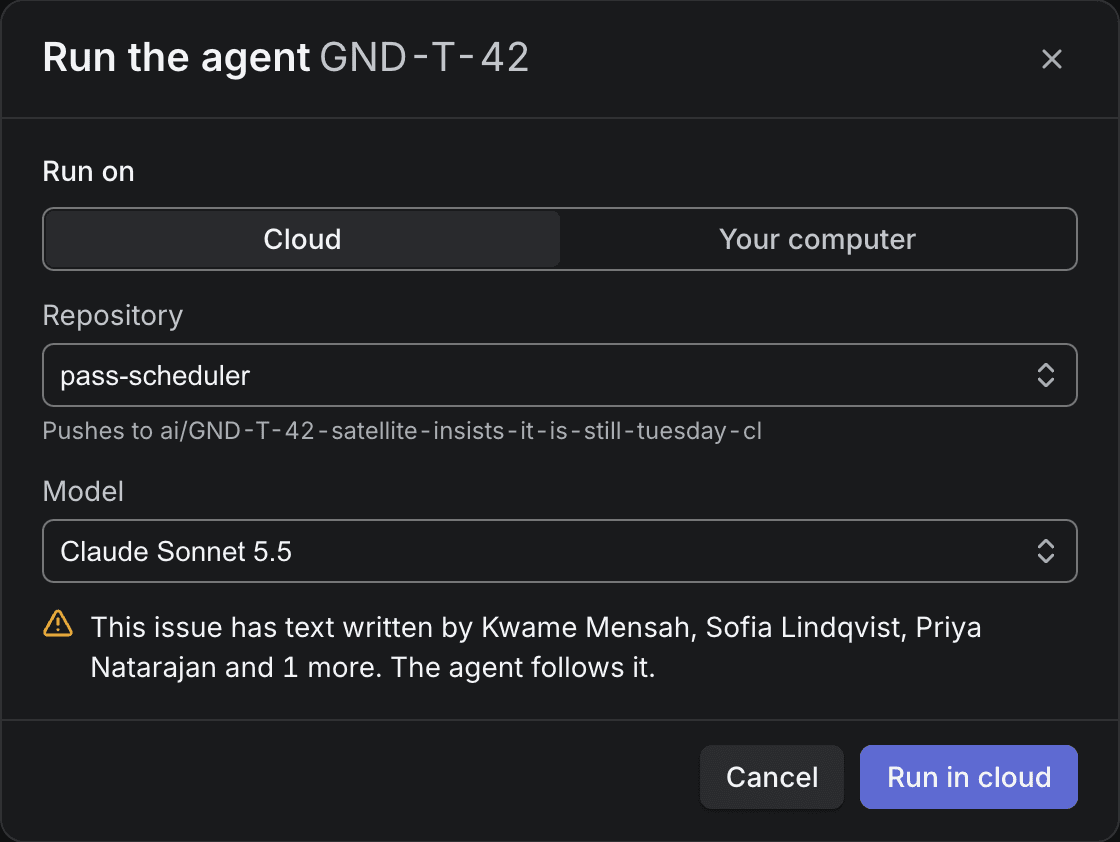
Call transcripts in your language
Calls are transcribed in the language each person speaks. Set your language once in your profile, or pick another one for a single call.
Each speaker in their own language →Talk to a cloud agent while it works
Send a message to a running cloud agent and it reads it on its next step: narrow the scope, point it to the right file or ask it to wrap up.
A cloud agent per issue →Code4 in the MCP Registry
The Code4 MCP server is now listed in the official MCP Registry and on Glama, so Claude, Cursor and other clients find it by name.
Bring your own tools →Plans with clear limits
Free, Premium, Business and Enterprise plans now have clear limits for seats, storage, CI and calls.
Compare plans →Nov 2 to 8
Messages appear instantly
Your message shows up in the conversation as soon as you press Enter, even on a slow connection, and is delivered in the background.
A new to-do inbox
Your personal to-do list now collects what needs your attention: action items from calls, reviews waiting for you and your own notes.
Built-in AI or your own key
AI works out of the box on the credit of your plan, or connect your own Anthropic, OpenAI, Google or OpenRouter key. The cloud agent runs on Claude or Codex.
AI activity log
See what AI did in your organization and which agents are running right now.
Repositories from GitHub, GitLab and other hosts
Bring repositories from GitHub, GitLab or any Git host, once or as a mirror that stays in sync.
Import and mirror from another host →Improvements and fixes
- Pair the desktop app with your account without typing a code.
Oct 26 to Nov 1
Git LFS support
Keep design files, datasets and binaries in the same repository as your code. Push them with the standard Git LFS client, and clones stay fast.
Large files with Git LFS →Sign in with an email code or a passkey
Sign in without a password: get a code by email, or use a passkey with Face ID, Touch ID or Windows Hello. Review your active sessions on the security page.
Ask AI why a deployment failed
When a deployment fails, AI explains the cause from the rollout, and you can roll back to any healthy deployment.
Find out why a deployment failed →Improvements and fixes
- Clone a repository into IntelliJ IDEA or VS Code in one click.
- Improved noise suppression in calls.
- A new Agents tab in project settings.
Oct 19 to 25
Explain a failed build
When a step fails, AI explains why from the log. When the explanation comes with a code change, Apply fix shows a preview before anything changes.
Ask AI why a step failed →Hosts and co-hosts in calls
Every call has a host, the person who started it. The host can make others co-hosts to share control of the call.
Tools for the host →Agents can read your call notes
AI agents connected over MCP can read transcripts and summaries of calls you took part in. Ask what the team decided yesterday.
What was said becomes searchable →Rules and skills for AI agents
Write rules and skills once for your organization and for each project, and every connected agent follows them. Connected AI clients are listed in one place, and you can revoke any of them.
Rules and skills, for the organization and for each project →Deployment history and rollback
Every deployment has a number and a page with its changes. Roll back with a preview of what will change, and see deployments on the issues they shipped.
Roll back with a preview →Search your code from agents
Source code is now part of the knowledge base: your coding agent searches it over MCP together with issues, reviews and documents, and finds the file, function or line it needs. Only repositories you can open are searched.
Your code is part of the knowledge base →Required pipelines
Block merging until the pipelines you choose have passed on the latest commit.
Required pipelines →AI code review
AI reads every merge request when it opens and on each new push, and comments on the lines it changed: likely bugs, risks, missing tests and gaps against the linked issue.
AI review →Cloud agent
Start an AI agent in the cloud from an issue: it works on a fresh machine, pushes a branch and opens a merge request when done.
A cloud agent per issue →Improvements and fixes
- Every finished call has its own page with the analysis.
- An ongoing call shows in the chat list.
- Knowledge search covers the messages of commits too.
Oct 12 to 18
Run services without kubectl
Scale and restart services, read live logs, watch CPU and memory and set up autoscaling. Choose the rollout strategy with automatic rollback, deploy windows and promotion between environments.
Run services without kubectl →Secrets in deployments
Use platform secrets in your deployment manifests. Change a secret and services pick it up without a redeploy.
Forward messages
Forward messages to another chat, quote replies that stay up to date, and see formatting in previews and notifications.
Messages that do more →Improvements and fixes
- Find in page inside an issue and in the desktop app.
- An incoming call window in the desktop app.
- Share your screen from a minimized call.
Oct 5 to 11
Sign in with Google and Apple
Sign in with your Google or Apple account. Admins and members have separate roles, and deleted projects can be restored.
Raise hand and reactions in calls
Raise your hand, react with emoji, and pause the AI notes for part of a call.
In the call →Your own runners
Run CI on your own machines or in your Kubernetes cluster, installed with one command. A warm cache makes repeat builds faster, and you get a warning when no runner can take the jobs of a project.
Our cloud or your machines →Secrets and parameters
Keep secrets and parameters per project and environment, and pass parameters to a pipeline run.
Secrets and parameters →Deployment approvals
Require one or more approvals before a deployment reaches a protected environment.
Approvals and deploy windows →Run an AI agent on your own computer
Start an agent session on your machine from an issue, even from your phone, and follow its progress in the app.
Claude Code on your computer, from anywhere →Join a call from several devices
Be in the same call from your laptop and your phone. Answer on one device and the others stop ringing.
Screen sharing and sharing from other apps on mobile
Share your screen from the phone, send files to Code4 from any app, and move around with the new bottom navigation.
iOS and Android →Package mirrors and retention policies
Mirror Maven Central, npm and Docker Hub through your own registry, and clean up old versions automatically with retention policies.
Mirrors of public registries →Voice messages
Record voice messages on the web, desktop and phone and play them back with a waveform.
Voice and video messages →Improvements and fixes
- Personal access tokens for the API.
- Links open in the desktop app.
- Images in descriptions can be resized.
- A getting started list helps new members.
Oct 1 to 4
Call log and permanent call links
Every call is in the call log. Create a permanent link for a recurring meeting, start a call without a conversation, and ring people who have not joined yet.
Links, guests and the waiting room →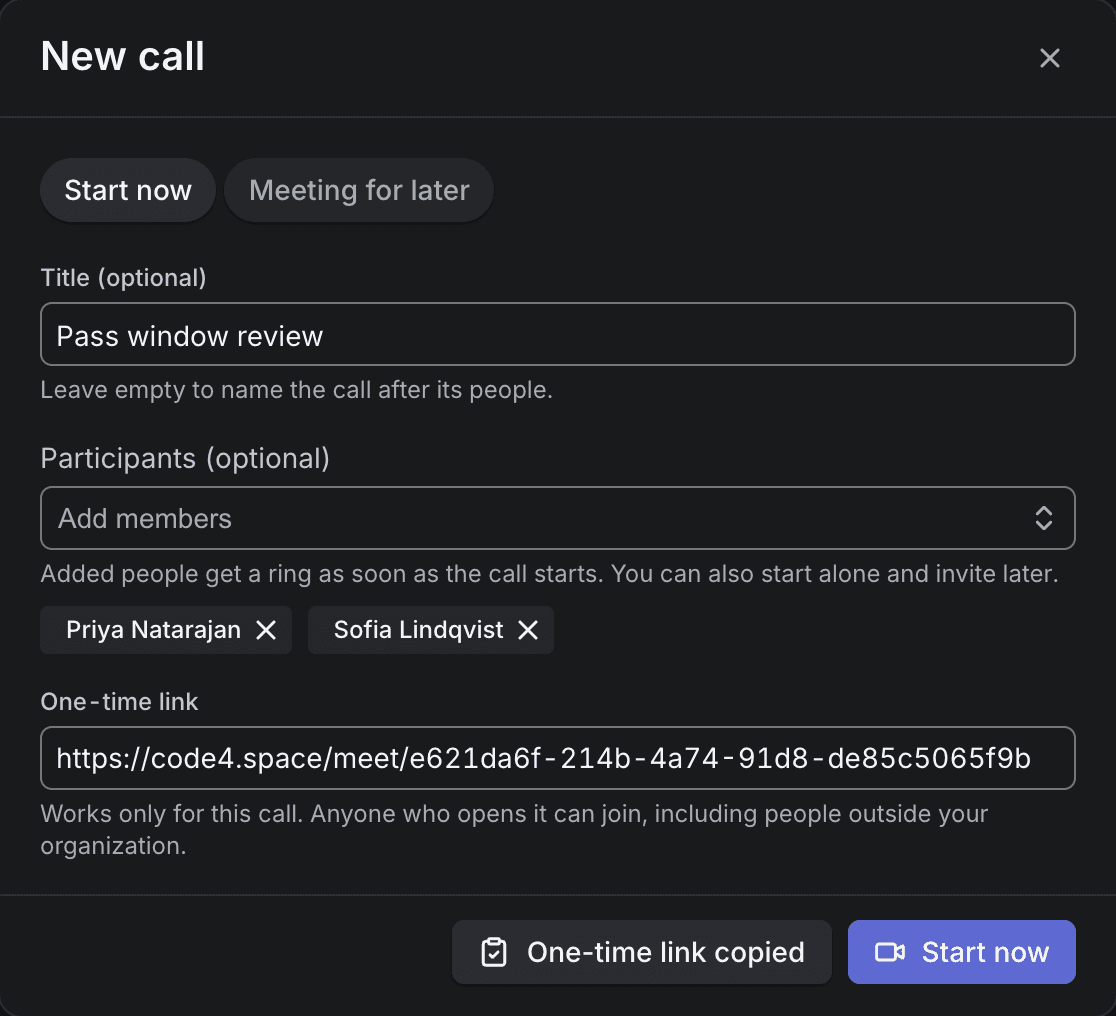
Mobile app for Android
Issues, boards, documents, chats and calls on your phone, with incoming calls on the lock screen.
iOS and Android →File repositories with public download links
Store build outputs and other files next to your packages, and share a public download link.
One home for every package →The desktop app updates itself
New versions of the desktop app install automatically.
A desktop app for macOS, Windows and Linux →Edit issues and documents together
Several people can edit the same issue or document at once and see where the others are typing.
Edit together →Issue status at a glance
Status icons show progress, statuses and options come in 16 colors, and lists filter by created, updated and due dates.
Your statuses and your fields →Improvements and fixes
- Do not disturb mutes notifications.
- Favorite pipelines show their last result.
- The app starts faster.
September 2026
Create an issue by voice or video
Dictate an issue or record your screen while you explain the problem. AI fills in the title, the description and the fields.
Describe it by voice or video →Chat in calls and background blur
Write in the call chat, guests included, blur your background, and end a call for everyone. Transcripts are kept for good.
In the call →Cancel, restart and re-run steps
Cancel or restart a run, re-run a single step, and download the full log.
Live logs →Document access, files and version history
Limit who can see a document or folder, upload files with previews for PDF, video, audio and images, and browse the version history with every author.
Decide who can see it →Create package repositories
Create your own Maven, npm and container repositories, see where each version came from, and publish with a personal access token.
Connect your tools in a minute →More tools for AI agents
The MCP server now covers issues, reviews, pipelines, documents and more, so an agent can do most of what you do in the app.
Bring your own tools →Issue trash, export and live presence
Restore deleted issues from the trash, export the list to Excel, paste images into descriptions, and see who else is editing an issue right now.
Everything about one issue →A faster app
Screens open instantly: the app keeps your recent data on the device and updates it in the background.
Invitations and organization roles
Invite people by link, manage roles in Administration, and give everyone a profile page.
A full messenger
Edit and delete messages, attach files, mention people, react, and see typing and read receipts. Round video messages, threads in any conversation, and issue and review links that open as cards.
Messages that do more →Desktop app for macOS, Windows and Linux
Code4 as a desktop app, with native notifications.
A desktop app for macOS, Windows and Linux →August 2026
Call recording, live transcript and AI notes
Record calls and replay them in the chat. A live transcript runs during the call, and afterwards AI writes a summary with chapters and action items that land in the to-do list of each person.
Live transcript and AI notes →Several pipelines, test reports and manual steps
Run several pipelines per repository, trigger them from merge requests, add manual steps, and read test reports and colored logs on each run.
Test results →Review outline and checks
Large merge requests get an outline that walks you through the change. Build a review from selected commits and see test results and pipeline jobs inside it.
Read the change →Video messages and notifications
Record a video message with a transcript and subtitles, see who is online, and get push notifications in the browser.
Voice and video messages →Command palette and keyboard shortcuts
Jump anywhere with Cmd+K, work from the keyboard, and set up the project dashboard and sidebar the way you like.
Blame, compare and branch protection
Blame in the file viewer, compare any two branches or tags, protect branches with rules, and cherry-pick, revert or tag from a commit page.
Protect what matters →AI assistant in the app
Ask the built-in assistant about your project: it answers from your issues, code and documents, with links to its sources.
An assistant that answers from your project →Project documents and knowledge search
Write documents inside a project. Search finds answers across documents, issues and call transcripts, and AI agents search the same knowledge over MCP.
A folder tree per project →Personal to-do list
Keep your own to-do list with Today, Later and History tabs, separate from team issues.
Sprints, custom statuses and time tracking
Plan sprints with a goal and progress, define your own statuses, build a subtask tree by dragging, and track time with a timer and a timesheet export.
Sprints, backlog and reports →July 2026
CI pipelines
Describe pipelines in your repository and watch runs with live logs as each step executes.
Live logs →MCP server for AI agents
Connect Claude Code, Cursor or any MCP client to Code4. Your agent reads issues, code and reviews in your workspace and acts on them with your permissions.
Bring your own tools →Deployments to Kubernetes
Deploy services to your Kubernetes cluster straight from a pipeline, one service at a time or all together.
Connect your cluster →Package registries
Publish Maven and npm packages and container images to registries next to your code.
One home for every package →Boards, custom fields and parent tasks
Issues get numbers, due dates, parent tasks and comments. Add your own fields, group the list by any of them, and plan on boards.
Boards →Group conversations and threads
Create private group conversations and reply in threads, so side topics do not bury the main discussion.
Conversations for teams →Video calls with screen sharing
Start a video or audio call from any chat and share your screen. Guests join from a meeting link in the browser, without an account.
Start from a chat or from the call log →Improvements and fixes
- A redesigned commit graph.
- Autosquash when rebasing.
- A profile card when you click the name of anyone.
Nov 2024 to Jun 2026
Git hosting with a commit graph
Host your repositories in Code4. Browse files with syntax highlighting, search them, read the history of every file, and edit files right in the browser.
Browse and search →Send an issue or a merge request to AI
Hand an issue or a merge request to an AI assistant and get its comments inline, on the lines they are about.
AI review →Direct messages and chat in merge requests
Message teammates directly, and discuss a merge request in its own chat next to the diff.
Conversations for teams →Projects and profiles
Organize work into projects, pin favorites, and keep your contacts in your profile.
Merge requests and line comments
Open a merge request for a branch and discuss it line by line, with threaded replies and suggested changes the author accepts in one click. Approve or request changes, then merge or rebase.
Merge requests and reviews of commits →