Documents next to the work they describe
Keep specs, runbooks, checklists and files in the project they belong to. Several people write at once, every version is kept, and what you write becomes part of the knowledge base your team and its agents search.
A folder tree per project
Each project has its own documents, organized in folders. Open a document next to the tree or on its own screen, move documents and folders by dragging, and hide the tree when you want the whole width for the text.
Every document has its own address to share, its own discussion and its own subscribers.
Write in place
A text document is edited where you read it: click into the text and type. The editor supports Markdown, tables and code blocks, and you can switch to the raw Markdown at any time.
A checklist document is a list of items with checkmarks, nested steps and a progress bar on top, handy for a release routine or an onboarding plan.
Decide who can see it
By default everyone in the organization can open and edit a document. Limit a document, a file or a whole folder to the people you pick, and everyone else does not see it at all, neither in the tree nor in search.
A restriction on a folder applies to everything inside it, and a move that changes who can see an item asks you first.
Every version is kept
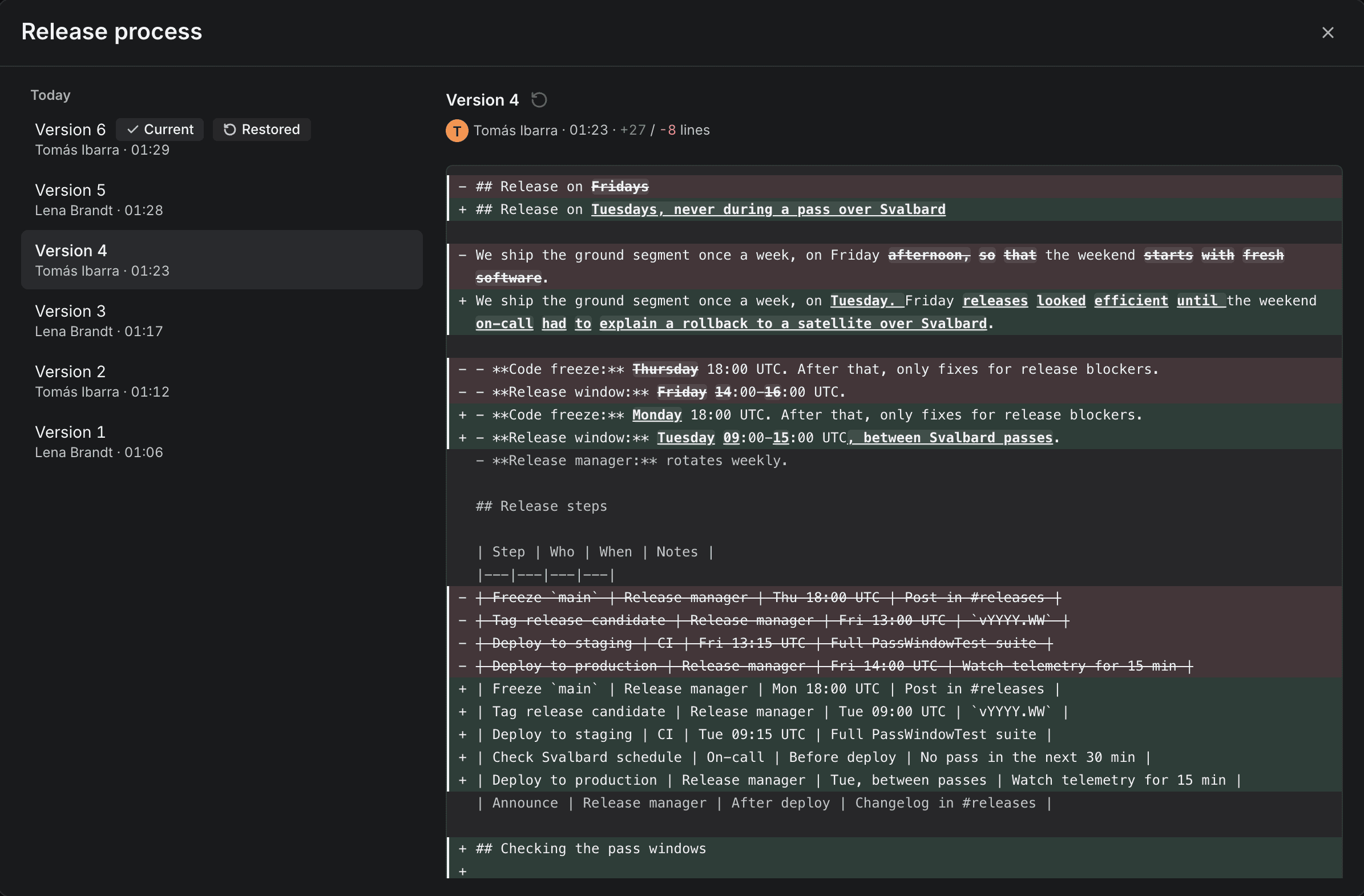
A text document keeps the history of every change. Pick a version to see what changed in it, and restore it if you need the old text back.
Restoring does not rewrite the history: the old text is added on top as a new version, so nothing is lost. Documents you no longer need go to the archive and can be brought back.
Edit together
Several people can edit the same document at once. Changes appear as they type, and the header shows who else is in the text.
Files in the same tree
Upload files next to your documents, or drag them from your computer straight onto a folder. A file shows a preview where the browser can display it, and a download button otherwise.
Part of the knowledge base
Documents are indexed into the knowledge base together with issues, reviews, chat and call transcripts. The assistant and your coding agents answer from them, and only from what the person asking is allowed to read.
Questions about documents
- Is there a limit on documents?
- No. Documents are unlimited on every plan; uploaded files count toward the storage of the organization.
- Is there a read-only level of access?
- Not today. People who can see a document can also edit it, and the history keeps every version, so any change can be undone.
- Can AI agents read our documents?
- Yes, under the permissions of the person who started them. A restricted document is not shown to an agent of someone who cannot open it.