Git hosting in Code4
Every Code4 project hosts as many Git repositories as you need. Reading, changing and protecting code all works in the browser, next to the issues, reviews and pipelines that depend on it.
Browse and search
The Files tab shows the tree of any branch or tag with syntax highlighting. Find a file by any part of its path, including a folder name.
Open a file to see who last changed each line with Annotate, step through every change to it with File history, and see who works on it most. Markdown files open formatted, so a README reads like a page.
Edit without cloning
Fix a typo or update a config right in the browser. Create files and folders or upload them from your computer, then save the change to an existing branch or a new one.
Tick one box and the new branch gets a merge request at the same time.
Read the history
The Commits tab lists the history of a branch or tag with a graph that shows where branches split and merge. Search it, or narrow it by author and date.
From any commit you can browse the code as it was, tag it, cherry-pick or revert it, or download it as a patch.
Branches and comparisons
Filter branches by Active, Stale, My or Merged, or by name. Compare a branch with any other branch or revision, and open a merge request from the comparison when the difference looks right.
Protect what matters
Push restrictions check every push before it lands:
- the committer must be the person pushing
- commits must be signed
- files above a size limit are rejected
- names that Windows cannot check out are rejected
- commit messages must match your format
- secret and credential files are blocked, from a built-in list or your own patterns
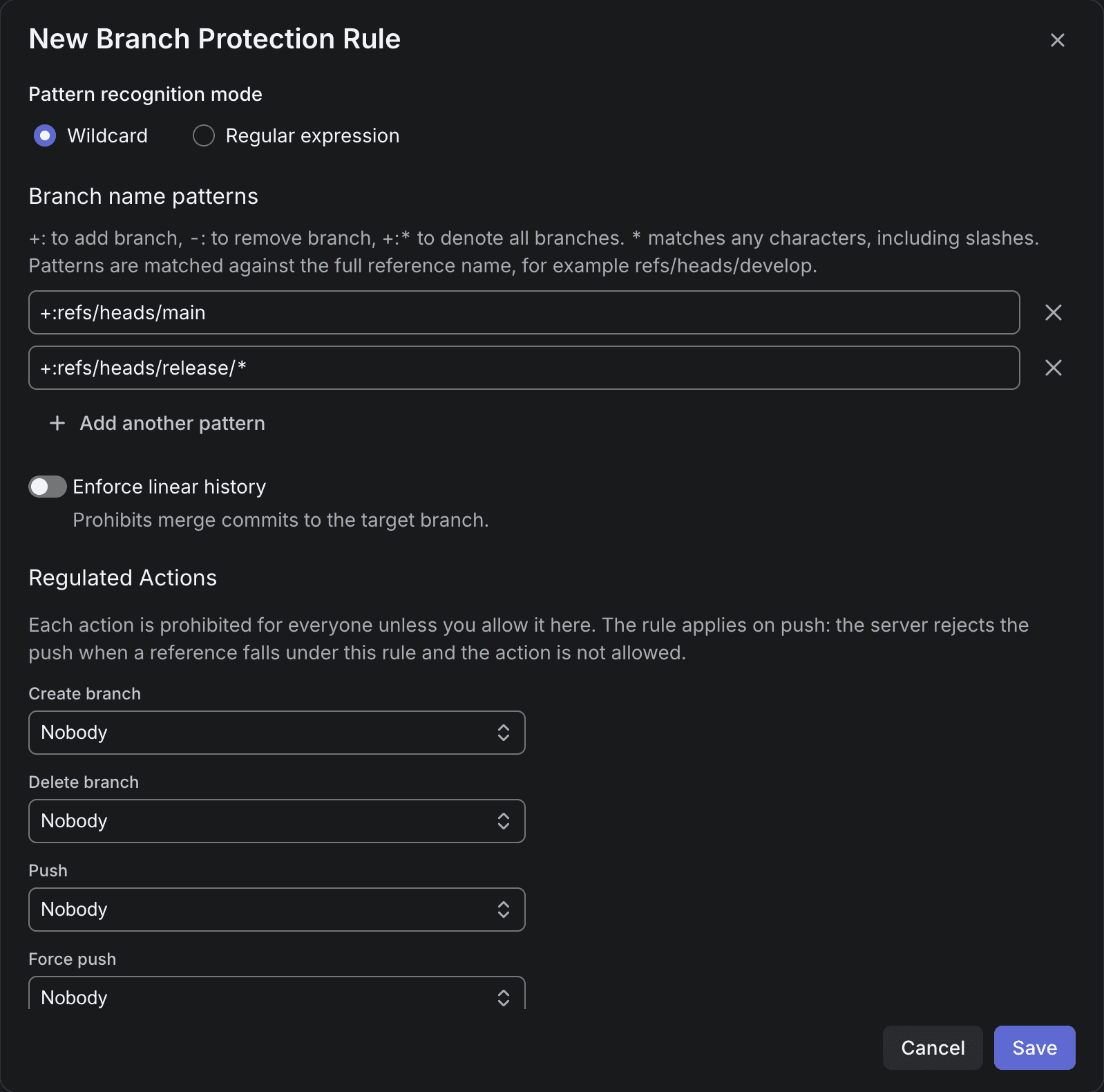
Protected branch rules decide who may push, force push, create or delete matching branches, how many approvals a merge request needs and from whom, which merge methods are allowed, and which pipelines must pass before a merge. A rule can also keep the history linear.
Clone into your IDE
Start coding gives you the clone address and opens the repository in VS Code or a JetBrains IDE such as IntelliJ IDEA, PyCharm, WebStorm or GoLand.
Git over HTTPS works with your password or a personal token, and the default branch downloads as a ZIP.
Large files with Git LFS
Git LFS works with the standard client, at the same address and with the same credentials as git push. Design sources, video and models stay out of the Git history, and clones stay small.
In the browser an LFS file shows its real content, and a review shows that the object changed with its old and new size. Pipeline steps receive the real files, so a build needs no extra download step. Lock a binary file before you change it, and a push from anyone else is rejected until the lock is released.
Import and mirror from another host
Bring a repository from any Git host over HTTPS: once, or as a mirror that keeps following the original.
A mirror updates on a schedule or right before each fetch, can forward your pushes back to the original, and can follow only the branches and tags you list. Moving your issues from GitHub or GitLab too? The issue import can copy the repositories in the same pass.
Connected to the rest of your work
Mention an issue key in a branch name or a commit message, and the change shows up on that issue. You choose the patterns that make the link.
Reviews, pipelines and deployments all start from the same repository, and your AI agents read it through the same permissions as you.
Questions about Git hosting
- Which plans include Git hosting?
- Every plan, including Free. Repositories are unlimited, and code review and branch protection come with them; storage is counted for the organization as a whole.
- Can we move from another Git host without a big switch?
- Yes. Import the repository as a mirror: it keeps following the original, and pushes to mirrored branches can be forwarded back, so nobody has to switch on the same day.
- Do we need a special Git client?
- No. Any Git client works over HTTPS with your password or a personal token, and the standard Git LFS client works at the same address.